2001-04-07
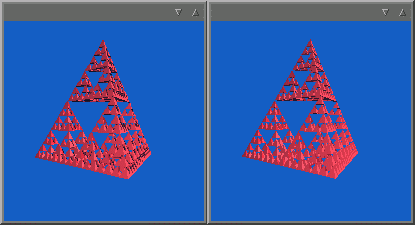 This is a comparison between the ray tracer and the scan line renderer. The left window is scan line and the
right is ray traced. The model is a recursive tetragon mesh inspired from SPD but modified to have each triangle
subdivided to make shadows more correct with the scan line renderer that uses gouraud shading.
This is a comparison between the ray tracer and the scan line renderer. The left window is scan line and the
right is ray traced. The model is a recursive tetragon mesh inspired from SPD but modified to have each triangle
subdivided to make shadows more correct with the scan line renderer that uses gouraud shading.
2001-04-29
MRend now supports multiple layers of surfaces. Looks good in the ray tracer, but the scan-line still only uses gouraud shading, so multiple layers isn't very visible.
2001-05-02
Much accomplished today. Rebuilt the scan line engine to be more extensible. Added support for uv-coordinates, normal
interpolation, and perspective correction of scan-lines. The scan line renderer now shades every pixel which enables
shadows and reflection.
Here are some strange looking renderings I made while testing:
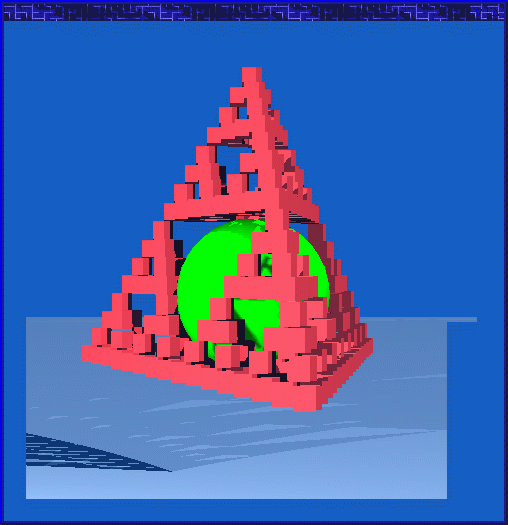 Buggy output caused by failure to increment a counter in the triangle renderer. Somewhat cubistic.
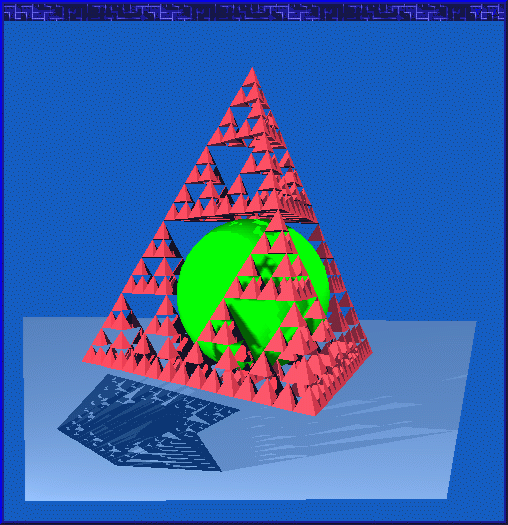 Sharp shadows and contours, but the shadows are awfully wrong placed. I would never have guessed that the impact
of not correcting for perspective would be THAT great.
Sharp shadows and contours, but the shadows are awfully wrong placed. I would never have guessed that the impact
of not correcting for perspective would be THAT great.
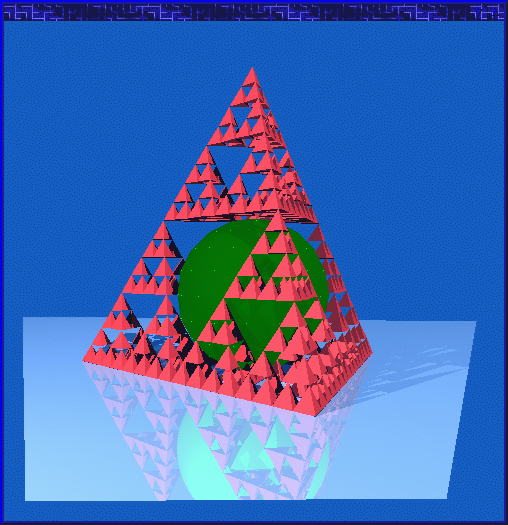 This is a strange output. The green ball in the middle should be bright green, but only a few dots are. This
bug took me quite a while to figure out. The bug was that spheres are tesselated into triangles when they are scan
line rendered, but the per-pixel shading routines calculated with the
real sphere for shadows. The real sphere shadow
the triangles except for the corner points that are correctly lit.
This is a strange output. The green ball in the middle should be bright green, but only a few dots are. This
bug took me quite a while to figure out. The bug was that spheres are tesselated into triangles when they are scan
line rendered, but the per-pixel shading routines calculated with the
real sphere for shadows. The real sphere shadow
the triangles except for the corner points that are correctly lit.
2001-05-07
Solved the problem with the self-shadowing sphere. Got my hands on a free profiler for Java from
Hewlett-Packard
called
HPjmeter. The profiler software is shipped
as a jar-file and is written in Java. After a few profiling tests I noticed a few bottlenecks in the MRend code.
Some objects get created temporarily very often and is thrown away after
a few operations. Apparently that have quite
big impact on performance. A few simple modifications that reused
objects gave a very noticeable performance boost.
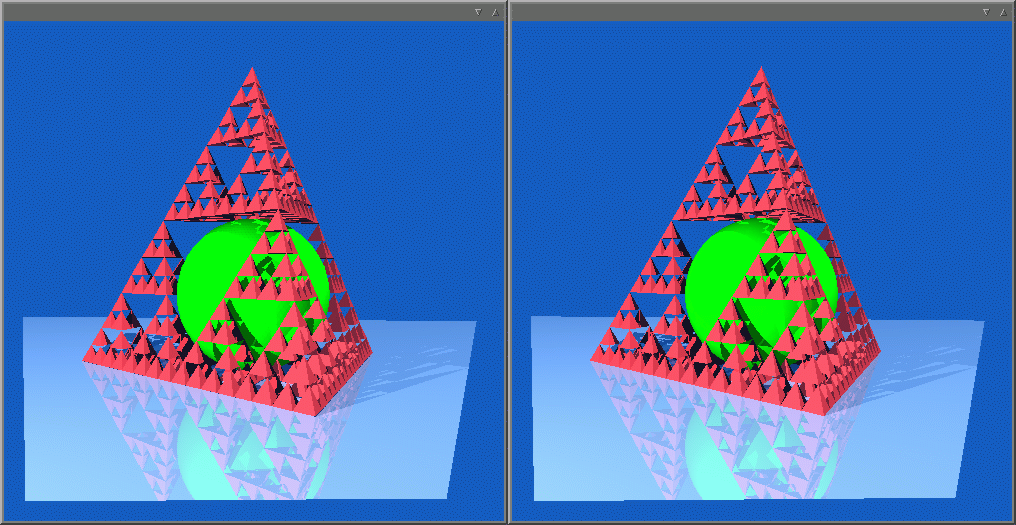 This is a comparison between scan-line and ray trace of the simple scene. (scan line to the left, ray trace to the right)
Not much differ. The reflections in the
scan-line rendering is actually ray traced, which is kind of cheating, but that will be replaced by environment
mapping or reflection mapping later. The rendering time for scan-line is actually a little bit higher than the ray
tracing time right now.
This is a comparison between scan-line and ray trace of the simple scene. (scan line to the left, ray trace to the right)
Not much differ. The reflections in the
scan-line rendering is actually ray traced, which is kind of cheating, but that will be replaced by environment
mapping or reflection mapping later. The rendering time for scan-line is actually a little bit higher than the ray
tracing time right now.
2001-05-09
Added smooth triangles by normal interpolation in both scan-line and ray tracing renderers.
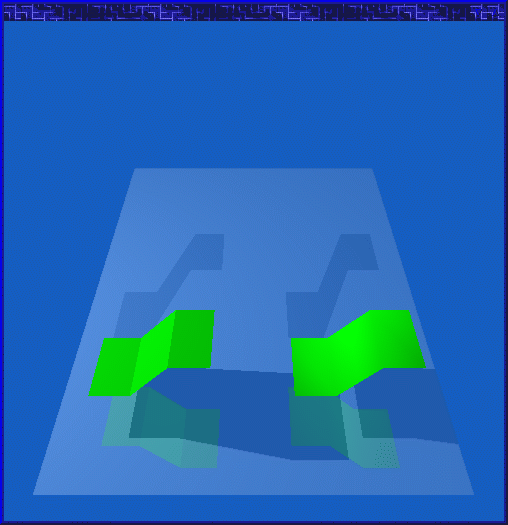 The left set of triangles are ordinary flat, the right set uses vertex normal interpolation and appear smooth
2001-05-10
Added phong specular highlights and support for texturing. Made a simple checkerboard surface. The strange problem
with the self shadowing sphere appeared again, but this time when a ray is reflected off the surface. I have to
solve this problem in another way I guess. I will probably run into similar problems when I implement cones, cylinders
and other quadric surfaces.
2001-05-14
Cleaned up the code a bit by removing old classes that isn't used any longer and rewrote some parts of the code.
Changed so the sphere tesselator makes smooth triangles instead of flat. I also managed to get rid of the self-shadowing
bug, hopefully for good.
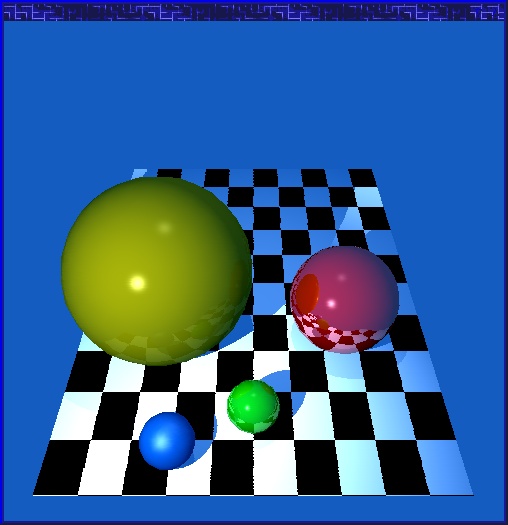 Some nice spheres rendered by the scan-line renderer. The spheres are tesselated to smooth triangles so the surface looks
really round and smooth. Notice the checkerboard texture and the phong highlights.
Some nice spheres rendered by the scan-line renderer. The spheres are tesselated to smooth triangles so the surface looks
really round and smooth. Notice the checkerboard texture and the phong highlights.
2001-05-20
I'm working on code to clip triangles to the viewing volume with different levels of success.
Near and far plane clipping is working now, but the sides are still bugging.
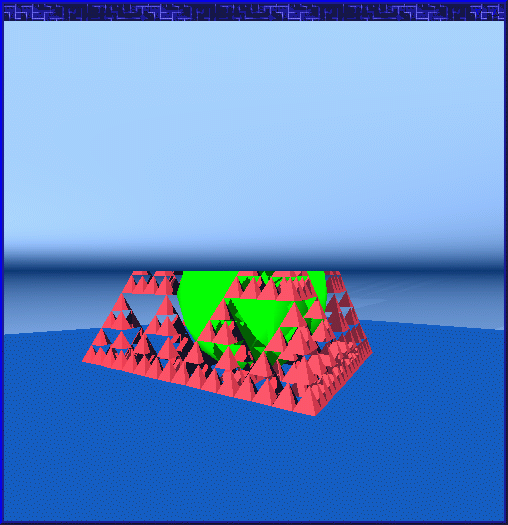 Something is wrong in the clipping code. The blue triangles that make up the floor is inverted and folded back at the top.
The near vertexes of the triangles are behind the viewer and gets folded
around infinity when the homogeneous coordinates
are converted to 3D-coordinates.
Something is wrong in the clipping code. The blue triangles that make up the floor is inverted and folded back at the top.
The near vertexes of the triangles are behind the viewer and gets folded
around infinity when the homogeneous coordinates
are converted to 3D-coordinates.
2001-05-23
Clipping code fixed, all 6 planes work. Simple texture maps added today!
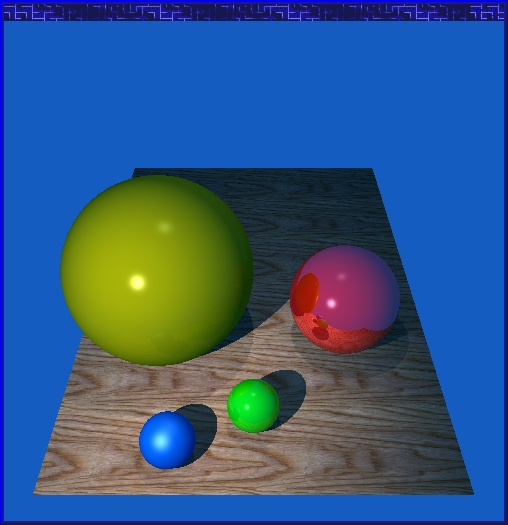 Textures makes things look a lot better
2001-05-29
I'm trying to speed up shadow calculations since that is the single most time-consuming calculation. Shadow maps are
nice, and I have been looking for papers on the subject. I'll start with a simple shadow map first.
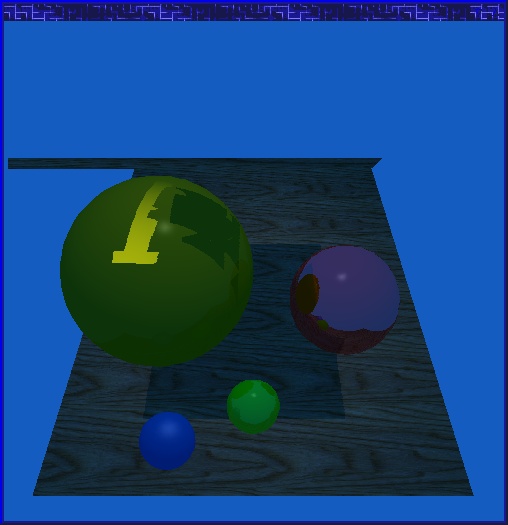 First attempt at shadow maps. Obviously some things are not right. A strange polygon in the back appears, and the
shadows are wrong. The strange polygon is an effect of an earlier optimization. Once again Knuth's old statement come
to mind: Premature optimization is the root of all evil. Duh.. I never learn :-)
First attempt at shadow maps. Obviously some things are not right. A strange polygon in the back appears, and the
shadows are wrong. The strange polygon is an effect of an earlier optimization. Once again Knuth's old statement come
to mind: Premature optimization is the root of all evil. Duh.. I never learn :-)
2001-05-31
Shadow maps debugged and working.
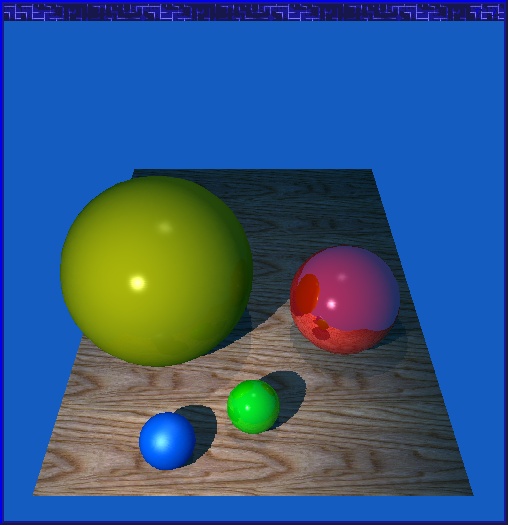 The shadow maps used in this picture are 500x500 pixels (x6, one map in each direction around the point light)
which gives a decent result. Some jaggies are visible on the edges. It'll get a lot better when I implement
antialiasing.
The shadow maps used in this picture are 500x500 pixels (x6, one map in each direction around the point light)
which gives a decent result. Some jaggies are visible on the edges. It'll get a lot better when I implement
antialiasing.
2001-06-13
Not much code produced last 2 weeks. I'm considering to rewrite some parts of
the code for it to be more general. More use of transformation matrices which
is more conventional. This means that objects can have their own local
coordinate systems which in turn make some calculations simpler, and some
a bit more complicated. I've realized that I can't use NFF as file format for
much longer because I'd have to make even more special extensions to it.
I'm looking for a new better file format. I'm also gathering and reading some
research papers, classic ones and new ones and I've been playing around with
Blender. No use of a renderer without scenes and models right? :-)
2001-08-04
Summer time. Nice sunny and hot weather.. outside. Need I say more? :-)
Development is somewhat slow, but I'll be at it soon again.
Working with a few side projects, but the renderer will still be my main project.
2001-10-14
The summer has ended, but no development has been done. I might begin developing
again if I feel for it, but right now other projects are more interesting.